
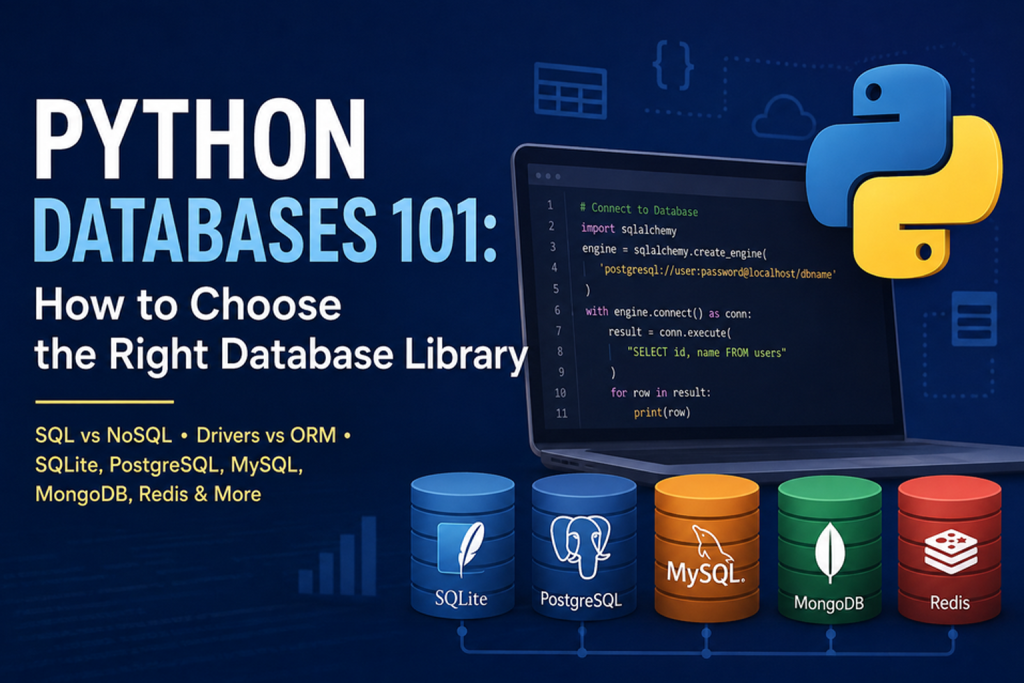
The selection of an appropriate database library is crucial for the successful implementation of Python applications. This document provides a comprehensive overview of various database libraries, highlighting their features, advantages, and potential use cases. By understanding the specific requirements of a project, developers can make informed decisions that optimize performance and enhance data management. Ultimately, the right choice of database library can significantly impact the efficiency and scalability of an application.
Python Databases 101: How to Choose the Right Database Library
Python Database Guide for Developers, Data Scientists and Beginners
Python is one of the most popular languages for web development, automation, data science, artificial intelligence and scientific computing. But almost every serious application eventually faces the same question:
Where should the data live, and how should Python communicate with the database?
Choosing a database library can be confusing because Python supports everything from lightweight embedded databases such as SQLite to powerful relational systems such as PostgreSQL and MySQL, as well as NoSQL databases such as MongoDB and Redis.
The good news is that you don’t need to learn every database library before choosing one.
You need to understand your application’s data, workload, scalability requirements and development model.
This guide explains the major Python database options and helps you decide which library is right for your project.
What Is a Python Database Library?
A Python database library is software that allows a Python application to communicate with a database.
It provides the interface your application uses to:
- Connect to a database
- Create and modify tables
- Insert data
- Read records
- Update information
- Delete records
- Execute queries
- Manage transactions
- Handle database connections
For example, Python includes the sqlite3 module for working with SQLite databases. SQLite is a lightweight, file-based database that does not require a separate database server. (Python documentation)
For larger applications, developers commonly use database drivers or database toolkits such as MySQL connectors, PostgreSQL drivers and SQLAlchemy.
SQL vs. NoSQL: The First Decision
Before choosing a Python library, decide whether your application is better suited to a relational SQL database or a NoSQL database.
SQL databases
SQL databases organize information into tables containing rows and columns.
Popular choices include:
- SQLite
- MySQL
- PostgreSQL
- MariaDB
- Microsoft SQL Server
- Oracle Database
SQL databases are generally a good choice when your application has structured data and relationships between entities.
For example, an e-commerce application might have:
Customers
    ↓
Orders
    ↓
Order Items
    ↓
Products
Relationships such as these are where relational databases excel.
NoSQL databases
NoSQL databases use alternative data models such as:
- Document
- Key-value
- Wide-column
- Graph
Popular examples include:
- MongoDB
- Redis
- Cassandra
- Neo4j
NoSQL can be useful when your application’s data structure is highly flexible or when a specialized data model is more appropriate than traditional relational tables.
The Most Popular Python Database Options
There is no universal “best” Python database library.
Instead, think of the options in categories.
| Database | Python Library / Driver | Best For |
|---|---|---|
| SQLite | sqlite3 |
Small applications, prototypes, embedded apps |
| MySQL | mysql-connector-python, PyMySQL |
Web applications and traditional business systems |
| PostgreSQL | Psycopg | Enterprise applications, analytics and complex SQL |
| SQL databases | SQLAlchemy | Applications needing a database toolkit/ORM |
| MongoDB | PyMongo | Document-oriented applications |
| Redis | redis-py | Caching, queues and fast key-value data |
| Cassandra | Cassandra Python Driver | Large distributed workloads |
| Neo4j | Neo4j Python Driver | Graph and relationship-heavy applications |
The right choice depends more on your workload than on the popularity of the database.
1. SQLite: The Simplest Place to Start
SQLite is often the easiest database option for a Python developer.
Python provides the sqlite3 interface, so a basic SQLite application can be created without installing a separate database server. (Python documentation)
A connection can be as simple as:
import sqlite3

connection = sqlite3.connect("application.db")

cursor = connection.cursor()

cursor.execute("""
    CREATE TABLE IF NOT EXISTS users (
        id INTEGER PRIMARY KEY,
        name TEXT NOT NULL,
        email TEXT UNIQUE
    )
""")

connection.commit()
connection.close()
Your database is stored in a file:
application.dbWhen should you use SQLite?
SQLite is a good choice for:
- Learning database programming
- Desktop applications
- Small websites
- Internal tools
- Prototypes
- Testing
- Embedded applications
- Local applications
- Small Python APIs
Advantages
- Very easy to configure
- No database server required
- Small footprint
- Portable
- Excellent for development
- Built into Python through
sqlite3
Limitations
SQLite is not always appropriate for heavily concurrent server applications.
If many users need to write to the database simultaneously, a client/server database such as PostgreSQL or MySQL may be a better choice.
Best beginner choice?
Yes.
If you’re learning Python database programming for the first time, SQLite is an excellent starting point.
2. MySQL: A Popular Choice for Web Applications
MySQL is one of the most widely used relational database systems.
It uses a client/server architecture, making it suitable for applications where many users and processes need to access shared data.
Python applications can communicate with MySQL using libraries such as:
python -m pip install mysql-connector-pythonA basic connection looks like:
import mysql.connector

connection = mysql.connector.connect(
    host="localhost",
    user="appuser",
    password="your_password",
    database="myapp"
)

cursor = connection.cursor()

cursor.execute("SELECT id, name FROM users")

for row in cursor.fetchall():
    print(row)

connection.close()
When should you choose MySQL?
MySQL is a strong option for:
- Business websites
- E-commerce applications
- WordPress-related systems
- CRM applications
- ERP systems
- Customer portals
- PHP/Python hybrid environments
- Multi-user web applications
Advantages
- Mature ecosystem
- Large developer community
- Strong web-hosting support
- Good performance
- Multi-user architecture
- Replication and backup capabilities
Consider MySQL when:
Your application already runs on a hosting environment that provides MySQL and you want Python to use the same database infrastructure.
3. PostgreSQL: A Powerful Choice for Serious Applications
PostgreSQL is another major relational database system and is often selected when applications require advanced SQL capabilities, strong data integrity and extensibility.
Python applications commonly use the Psycopg driver to communicate with PostgreSQL.
For example:
pip install psycopgA simplified connection might look like:
import psycopg

connection = psycopg.connect(
    "dbname=myapp user=appuser password=secret host=localhost"
)

with connection.cursor() as cursor:
    cursor.execute(
        "SELECT id, name FROM users WHERE active = %s",
        (True,)
    )

    for row in cursor.fetchall():
        print(row)

connection.close()
When should you choose PostgreSQL?
Consider PostgreSQL for:
- Large web applications
- SaaS platforms
- Financial systems
- Data-intensive applications
- Analytics platforms
- Scientific applications
- Complex relational models
- Applications requiring advanced SQL
Why developers like PostgreSQL
PostgreSQL provides a broad set of database capabilities and is particularly attractive when data integrity, complex queries and extensibility are important.
For a new production application where you expect the database to become an important part of the system, PostgreSQL is often an excellent default choice.
4. SQLAlchemy: When You Want a Database Toolkit
SQLAlchemy is different from SQLite, MySQL and PostgreSQL.
It is not itself a database server.
Instead, SQLAlchemy is a Python SQL toolkit and Object Relational Mapper (ORM) that provides abstractions for interacting with different relational databases. (sqlalchemy.org)
It provides two major approaches:
SQLAlchemy Core
Core provides SQL expression and database connectivity capabilities.
Example:
from sqlalchemy import create_engine, text

engine = create_engine("sqlite:///application.db")

with engine.connect() as connection:
    result = connection.execute(
        text("SELECT * FROM users")
    )

    for row in result:
        print(row)
SQLAlchemy ORM
The ORM allows Python classes to represent database entities.
For example:
from sqlalchemy.orm import DeclarativeBase, Mapped, mapped_column

class Base(DeclarativeBase):
    pass

class User(Base):
    __tablename__ = "users"

    id: Mapped[int] = mapped_column(primary_key=True)
    name: Mapped[str]
SQLAlchemy’s ORM is optional; developers can use SQLAlchemy Core when they want more direct control over SQL. (sqlalchemy.org)
When should you use SQLAlchemy?
SQLAlchemy is particularly useful when:
- Your application uses a relational database
- You want cleaner database abstraction
- You may switch database engines
- Your project has many models
- You want ORM functionality
- You need connection pooling
- You want structured transaction management
It can work with databases including SQLite, PostgreSQL and MySQL through appropriate dialects and drivers.
A major advantage
Instead of tightly coupling your application to one database driver, SQLAlchemy can provide a common programming layer.
That can make larger applications easier to maintain.
5. MongoDB: When Your Data Looks Like Documents
MongoDB is a document-oriented NoSQL database.
Instead of storing information primarily in rows and columns, applications work with document-style data.
Python applications commonly use PyMongo.
Install it with:
pip install pymongoA simple example:
from pymongo import MongoClient

client = MongoClient("mongodb://localhost:27017/")

database = client["myapp"]
users = database["users"]

users.insert_one({
    "name": "Rajesh",
    "skills": ["Python", "SQL", "PHP"]
})
MongoDB can be useful when:
- Data structures change frequently
- Documents are the natural representation of your data
- You need flexible schemas
- Your application handles JSON-like records
- You are building content-oriented applications
Example
A product document might look like:
{
  "name": "Laptop",
  "brand": "Example",
  "specifications": {
    "ram": "16GB",
    "storage": "1TB"
  },
  "tags": ["computer", "business"]
}
This structure can be convenient when different records contain different attributes.
6. Redis: When Speed Matters
Redis is primarily an in-memory data store and is commonly used for extremely fast data access.
Python applications can use the redis library.
pip install redisExample:
import redis

client = redis.Redis(
    host="localhost",
    port=6379,
    decode_responses=True
)

client.set("username", "Rajesh")

print(client.get("username"))
Redis is commonly used for:
- Caching
- Session storage
- Queues
- Temporary data
- Rate limiting
- Real-time applications
Redis should not automatically replace your primary relational database.
A common architecture is:
Python Application
       |
       +------ PostgreSQL/MySQL
       |
       +------ Redis Cache
The relational database stores the application’s persistent data while Redis accelerates frequently accessed information.
SQL vs NoSQL: Which Should You Choose?
Use the following decision process.
Choose SQL when:
- Your data is structured
- Relationships are important
- You need transactions
- Data integrity is critical
- You need joins
- Your schema is reasonably predictable
Choose NoSQL when:
- Data structures are flexible
- Documents are a natural representation
- You have specialized scalability requirements
- Traditional relational modeling is not the best fit
Remember that “SQL vs NoSQL” is not simply a question of which technology is newer.
It is a question of which data model fits your application.
Database Driver vs ORM: What’s the Difference?
This is one of the most important concepts for Python developers.
A database driver directly communicates with a database.
Examples:
Python
   ↓
MySQL Connector
   ↓
MySQL
or:
Python
   ↓
Psycopg
   ↓
PostgreSQL
An ORM adds another abstraction layer:
Python Objects
      ↓
SQLAlchemy ORM
      ↓
Database Driver
      ↓
Database
Driver
Use a driver when you want:
- Direct SQL
- Maximum control
- Minimal abstraction
- Simple database access
ORM
Use an ORM when you want:
- Python models
- Reusable database abstractions
- Easier relationship management
- Larger application architecture
- Less repetitive SQL
Neither approach is automatically better.
A Simple Decision Tree
Use this decision tree when starting a new Python project.
Do you need a database?
        |
        v
   Is the application
      small/local?
      /          \
    Yes           No
     |             |
  SQLite       Server DB
                 |
          +------+------+
          |             |
        SQL           NoSQL
          |             |
     PostgreSQL      MongoDB
     MySQL           Redis*
          |
       Need ORM?
       /      \
     Yes       No
      |         |
 SQLAlchemy   Driver
*Redis is generally used for caching, queues and fast key-value workloads rather than as a universal replacement for a relational database.
Which Python Database Library Should Beginners Learn?
If you are completely new to databases, don’t try to learn everything simultaneously.
A practical learning path is:
Step 1: Learn SQL
Understand:
CREATE TABLE
INSERT
SELECT
UPDATE
DELETE
JOIN
GROUP BY
ORDER BY
INDEX
Step 2: Learn SQLite
Use Python’s:
sqlite3This lets you learn database concepts without managing a separate database server.
Step 3: Learn PostgreSQL or MySQL
Once you understand SQL, move to a production-oriented server database.
Step 4: Learn SQLAlchemy
After understanding SQL and relational databases, SQLAlchemy becomes much easier to understand.
Step 5: Explore NoSQL
Only learn MongoDB, Redis or another NoSQL technology when your project has a reason to use it.
What About Python Web Frameworks?
Python frameworks often provide their own database integration.
For example:
Django
Django includes a powerful ORM and supports multiple relational databases.
Flask
Flask itself is lightweight and lets developers choose their preferred database approach. SQLAlchemy is commonly used with Flask applications.
FastAPI
FastAPI does not force a particular database system. You can use SQLAlchemy, SQLModel, direct database drivers or other tools depending on the application.
A typical modern Python API might look like:
             FastAPI
                |
        Application Logic
                |
          SQLAlchemy
                |
        Database Driver
                |
        PostgreSQL/MySQL
Performance Is Not the Only Consideration
Developers sometimes choose a database based only on benchmark numbers.
That’s usually a mistake.
Consider these factors instead:
1. Data structure
Is your data relational, document-based, key-value or graph-oriented?
2. Concurrency
How many users or processes will access the database simultaneously?
3. Transaction requirements
Does your application require reliable multi-step transactions?
4. Scalability
Will the application have:
- 100 users?
- 10,000 users?
- 1 million users?
5. Hosting environment
What does your server or hosting provider support?
6. Developer experience
Which technology does your development team already understand?
7. Ecosystem
Does the database have good Python libraries, documentation and tooling?
8. Maintenance
Who will handle:
- Backups?
- Updates?
- Security?
- Monitoring?
- Replication?
The fastest database is not necessarily the best database for your project.
Recommended Database Stack by Project Type
| Project | Recommended Starting Point |
|---|---|
| Python learning project | SQLite + sqlite3 |
| Desktop application | SQLite |
| Small internal application | SQLite |
| Small web application | MySQL/PostgreSQL |
| Business application | PostgreSQL/MySQL |
| Large SaaS application | PostgreSQL + SQLAlchemy |
| Data-heavy application | PostgreSQL |
| Document-based application | MongoDB |
| Caching layer | Redis |
| API application | PostgreSQL + SQLAlchemy |
| Scientific application | PostgreSQL |
| Prototype | SQLite |
| Production system with complex relationships | PostgreSQL |
SQLite vs MySQL vs PostgreSQL
Here’s a quick comparison:
| Feature | SQLite | MySQL | PostgreSQL |
|---|---|---|---|
| Separate server | No | Yes | Yes |
| Installation | Very easy | Moderate | Moderate |
| Best for | Small/local apps | Web/business apps | Advanced applications |
| Multi-user workload | Limited | Good | Excellent |
| Complex SQL | Good | Good | Excellent |
| Portability | Excellent | Good | Good |
| Beginner friendly | Excellent | Good | Good |
| Enterprise workloads | Limited | Excellent | Excellent |
The important point is that SQLite is not simply a “small version” of PostgreSQL or MySQL. Its architecture makes it particularly useful for embedded and lightweight applications.
Common Mistakes to Avoid
Mistake 1: Choosing NoSQL Because It Sounds Modern
NoSQL isn’t automatically better than SQL.
Start with your application’s data model.
Mistake 2: Using SQLite for Everything
SQLite is excellent, but a high-concurrency production application may require a server-based database.
Mistake 3: Using an ORM Without Understanding SQL
An ORM can make development easier, but developers should still understand:
SELECT
JOIN
INDEX
TRANSACTION
PRIMARY KEY
FOREIGN KEY
Knowing SQL helps you understand what your ORM is actually doing.
Mistake 4: Ignoring Indexes
A database can become slow even when the application code is well written.
Indexes can dramatically improve queries when used appropriately.
Mistake 5: Building Without Backups
A production database should have a backup and recovery strategy from day one.
Mistake 6: Hard-Coding Database Passwords
Avoid:
password = "MyPassword123"Instead, use environment variables or a secure configuration system.
For example:
import os

DB_PASSWORD = os.environ.get("DB_PASSWORD")
A Practical Recommendation for 2026
For most new Python developers, a sensible progression is:
Python
  ↓
SQL Fundamentals
  ↓
SQLite
  ↓
PostgreSQL
  ↓
SQLAlchemy
  ↓
Redis / MongoDB when required
For a small Python application:
SQLite + sqlite3
For a production web application:
PostgreSQL + SQLAlchemy
For an existing PHP/MySQL environment:
MySQL + a Python MySQL driver
For document-oriented data:
MongoDB + PyMongo
For caching and high-speed temporary data:
Redis
SQLAlchemy’s current documentation describes Core as its foundational database toolkit and ORM as an optional higher-level layer, making it useful when applications need structured database access without giving up SQL capabilities. (SQLAlchemy Documentation)
Final Takeaway
There is no single best Python database library.
The right choice depends on the application.
If you’re starting out, SQLite and Python’s sqlite3 module provide one of the easiest ways to learn database programming. For production web applications, PostgreSQL or MySQL are strong relational choices. When you need a consistent abstraction layer, connection management and ORM capabilities, SQLAlchemy is a powerful option. For specialized workloads, technologies such as MongoDB and Redis can complement or replace relational storage where appropriate.
The most important skill isn’t memorizing database libraries.
It’s learning how to answer this question:
What type of data does my application have, how will it be accessed, and what does the application need to scale?
Once you can answer that, choosing the Python database library becomes much easier.
Quick Reference
Beginner → SQLite + sqlite3
Web application → MySQL or PostgreSQL
Advanced relational application → PostgreSQL
ORM → SQLAlchemy
Document database → MongoDB + PyMongo
Cache / key-value → Redis
Best general learning path → SQL → SQLite → PostgreSQL/MySQL → SQLAlchemy
Further Reading
- Python `sqlite3` documentation
- SQLAlchemy documentation
- SQLAlchemy Unified Tutorial
- Built In — Python Databases 101
This article is an original, expanded guide inspired by the topic and structure of the referenced Built In article; it does not reproduce that article’s text.